Brand Guidelines
Arqonara
Branding
Official guide to using Arqonara visual assets — logo, colors, typography, and brand usage rules. Make sure Arqonara is always represented consistently and professionally.
ARQONARA · OFFICIAL BRAND
Logo Assets
Available in several color variations. Pick the version with the most contrast against its background.
Logo Mark (Icon Only — Named Variants)
Logo icon with specific file names. Use for favicons, avatars, and limited spaces.






Icon Logo (Without Text)
Pure Arqonara icon version without the wordmark. Suitable for favicons, app icons, Discord/forum avatars, and very limited spaces. Available in JPG · PNG · SVG formats.
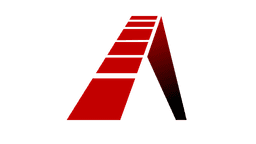
Icon Variant 1
Pure Arqonara logo icon, first variant


Icon Variant 2
Pure Arqonara logo icon, second variant



Icon Variant 3
Pure Arqonara logo icon, third variant


Clear Space & Minimum Size
Keep clear space around the logo at least as large as the icon's own height. The minimum icon logo size is 24×24px, and the full logo must be at least 120px wide.

16×16
Not recommended
24×24
Minimum size (icon)
48×48
Recommended (icon)
96×96
Ideal (icon)
Color Palette
Official Arqonara brand colors. Use the provided HEX values or CSS variables.
Arqonara Red
Main brand color, CTA, important accents
Red Light
Labels, badges, hover states
Background
Main page background
Panel
Cards, containers, panels
Panel 2
Secondary panels, icon backgrounds
Text
Primary text
Muted
Secondary text, descriptions
Border
Dividers, outlines
Typography
Fonts used across the Arqonara interface and brand materials.
UI & Body
Inter
Primary font for all interface text, body copy, and UI elements.
AaBbCcDd 0123456789
The quick brown fox jumps over the lazy dog.
Code & Technical
JetBrains Mono
Used for code, technical badges, and monospace labels.
AaBbCcDd 0123
The quick brown fox jumps over the lazy dog.
Usage Rules
Official guidelines to ensure the Arqonara brand is represented accurately and consistently.
Do's
- Use the logo on a clean, contrasting background
- Maintain clear space of at least the height of the letter 'A' around the logo
- Use the color version that fits the background (dark/light)
- Use high-resolution SVG or PNG files for print output
- Always write the name 'Arqonara' in full when referring to the brand
Don'ts
- Don't change the proportions, rotate, or distort the logo
- Don't use any colors outside the defined brand palette
- Don't add drop shadows, outlines, or other effects to the logo
- Don't place the logo on busy backgrounds or photos without an overlay
- Don't use the name 'Arqonara' as part of another product or service name
- Don't use old or unofficial logo versions
Background Examples
✓ White
✓ Dark
✓ Brand Red
✗ Busy gradient
Download Assets
Download official Arqonara logo files individually. Files labeled Multi are available in 3 formats (PNG, JPG, SVG).
black-white.png
Black logo icon on transparent background
full-black.png
Full logo + text, solid black, transparent
red-white-bg.png
Red logo + transparent background
Untitled.png / .svg / .jpg
Icon only — Variant 1, transparent
Untitled 2.png / .svg / .jpg
Icon only — Variant 2, transparent
Untitled 3.png / .svg / .jpg
Icon only — Variant 3, transparent